After setting up CI with GitHub Actions, the next step was automating deployments. I chose Argo CD, a GitOps controller for Kubernetes.
Argo CD monitors a Git repository and reconciles the cluster to match it—exactly what I wanted for CD.
Install Argo CD
kubectl create namespace argocd
kubectl apply -n argocd -f https://raw.githubusercontent.com/argoproj/argo-cd/stable/manifests/install.yaml
Expose the Argo CD server:
kubectl patch svc argocd-server -n argocd \
  -p '{"spec": {"type": "LoadBalancer"}}'
Optionally forward a local port while testing:
kubectl port-forward svc/argocd-server -n argocd 8080:443Check the service:
kubectl get service -n argocdVisit the LoadBalancer IP (or https://localhost:8080 if port-forwarding). The default username is admin. Retrieve the initial password:
kubectl -n argocd get secret argocd-initial-admin-secret \
  -o jsonpath="{.data.password}" | base64 -d
Log in and change the password.
Connect a Git Repository
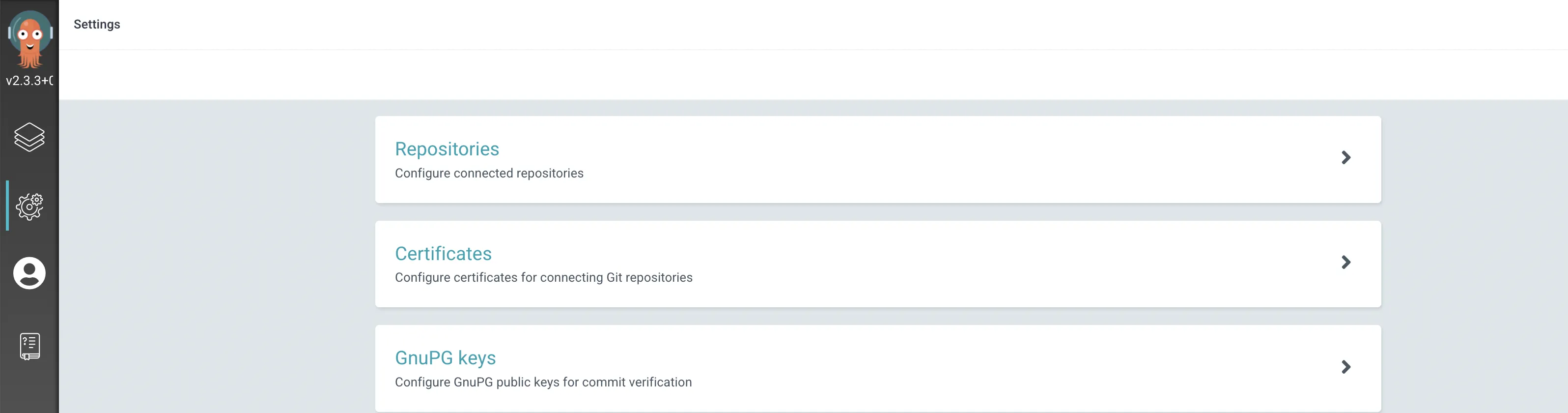
In the Argo CD UI, click the gear icon → Repositories → CONNECT REPO USING HTTPS. Provide the Git URL; for private repos, include credentials or deploy keys.
Create an Application
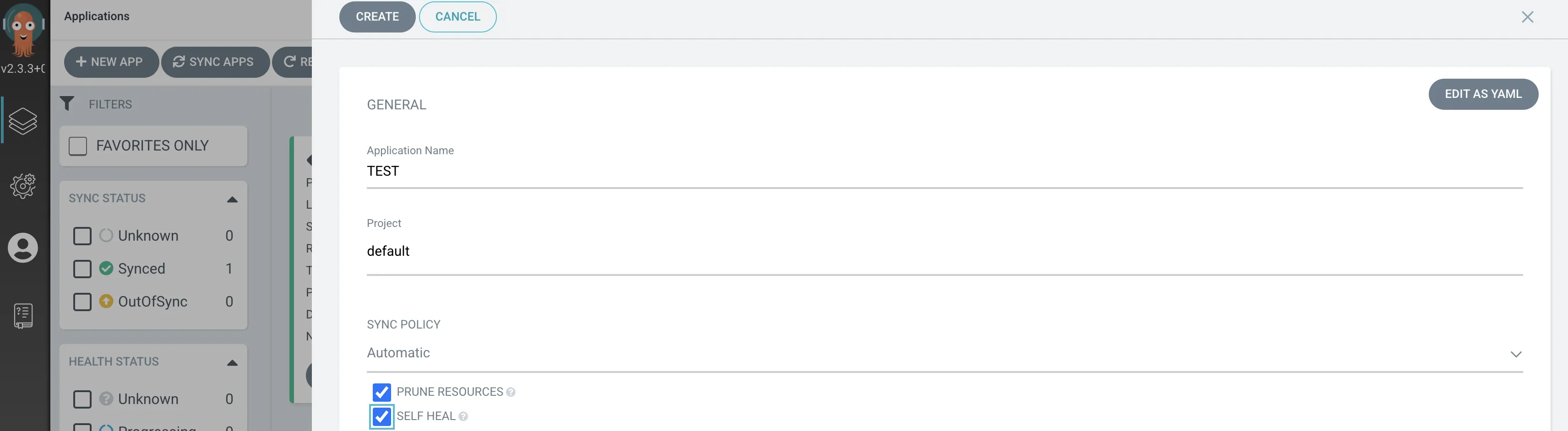
Click the stack icon → NEW APP. Fill in:
- Application Name – any label.
- Project – usually
defaultunless you’ve created custom projects. - Repository URL / Revision / Path – which repo, branch/tag, and subdirectory to sync.
- Cluster URL / Namespace – target cluster and namespace.
- Sync Policy – I checked both options to enable automated sync/prune.
Define Kubernetes Manifests in Git
Add your deployment/service YAML to the repo (e.g., under an argo/ directory). Argo CD watches for changes and applies them.
Example manifests:
# deployment.yaml
apiVersion: apps/v1
kind: Deployment
metadata:
  name: semogong
spec:
  replicas: 3
  selector:
    matchLabels:
      app: web
  template:
    metadata:
      labels:
        app: web
    spec:
      containers:
      - name: semogong-container
        image: wjdqlsdlsp/semogong:1.0.11
        ports:
        - containerPort: 8080
        envFrom:
        - configMapRef:
            name: config-dev
# service.yaml
apiVersion: v1
kind: Service
metadata:
name: semogong
spec:
selector:
app: web
ports:
- port: 80
targetPort: 8080
protocol: TCP
sessionAffinity: ClientIP
sessionAffinityConfig:
clientIP:
timeoutSeconds: 43200
type: LoadBalancerAdjust images, env vars, and config maps for your environment.
Once committed, Argo CD detects the change (default resync ~3 minutes), syncs the manifests, and keeps your cluster in the desired state. Git becomes the single source of truth—a clean GitOps workflow.