Data Engineering
Definitions vary, but broadly data engineering means taking whatever actions are necessary on data and building processes that are reliable, repeatable, and maintainable.
Workflow
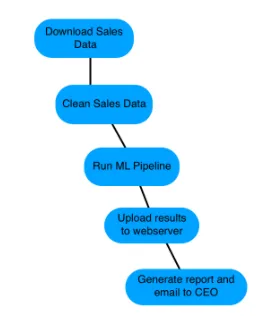
A workflow is the ordered set of steps that accomplish a data-engineering task, such as:
- Downloading files
- Copying data
- Filtering information
- Writing to databases
Workflows can range from a few steps to hundreds—complexity depends entirely on requirements.
Airflow Overview
Apache Airflow is a platform for programmatically creating, scheduling, and monitoring workflows. You write the workflow logic in Python, though each task can call other tools or languages.
Airflow represents a workflow as a DAG (Directed Acyclic Graph) and can be controlled via code, the CLI, or its built-in web UI.
Other workflow tools include Luigi (Spotify), SSIS (Microsoft), and plain Bash scripting.
DAGs
A Directed Acyclic Graph is a set of tasks with dependencies. In Airflow you define DAG metadata (name, start date, owner, alert settings, etc.).
Example:
etl_dag = DAG(
    dag_id="etl_pipeline",
    default_args={"start_date": "2020-01-08"},
)
Running Workflows
The simplest way to run a DAG from the command line:
airflow run <dag_id> <task_id> <execution_date>

# Example
airflow run example-etl download-file 2020-01-10
DAG Essentials
- Directed: dependencies encode order.
- Acyclic: no cycles; within a single run each task executes at most once.
- Graph: nodes (tasks) and edges (dependencies).
Airflow DAGs are written in Python but tasks can be anything: Bash scripts, Spark jobs, executables, etc. Airflow calls the components operators. Dependencies can be defined explicitly or implicitly to enforce run order—for example copy a file before importing it into a database.
Defining a DAG:
from airflow.models import DAG
from datetime import datetime

default_args = {
    "owner": "jdoe",
    "email": "jdoe@datacamp.com",
    "start_date": datetime(2020, 1, 20),
}

etl_dag = DAG("etl_workflow", default_args=default_args)
DAGs from the Command Line
airflowCLI offers many subcommands; useairflow -hfor help.airflow list_dagslists all recognized DAGs.
When to use each interface?
| CLI | Web UI / Python |
|---|---|
| Start Airflow processes | Author DAGs |
| Trigger DAGs or tasks manually | Implement data processing logic |
| Inspect logs quickly | Browse DAG status visually |
Web UI Views
The DAG list shows status, schedule (cron or datetime), owner, recent tasks, last run, and run history. Links provide quick access to graph, tree, code, Gantt charts, and more.
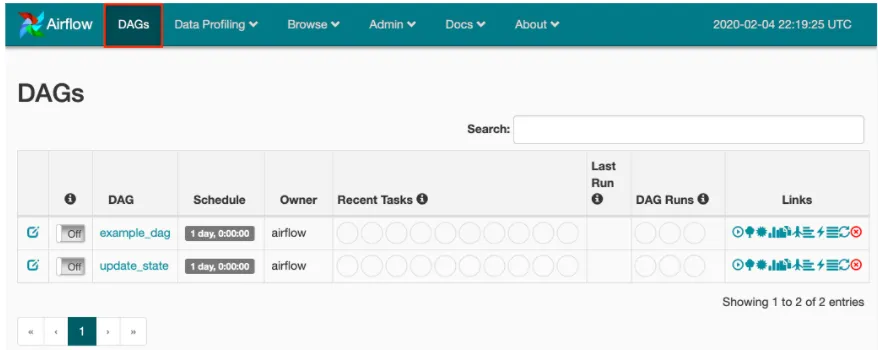
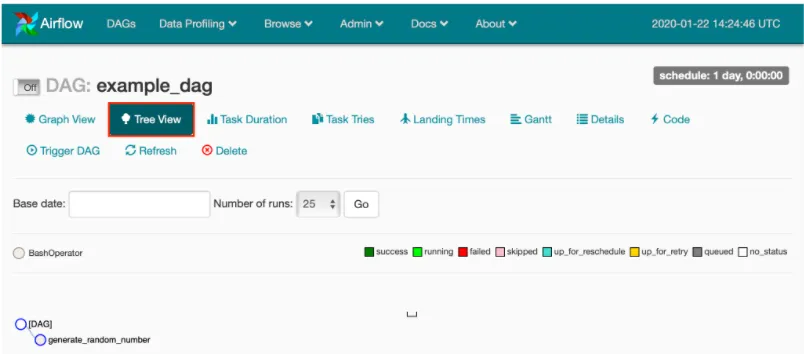
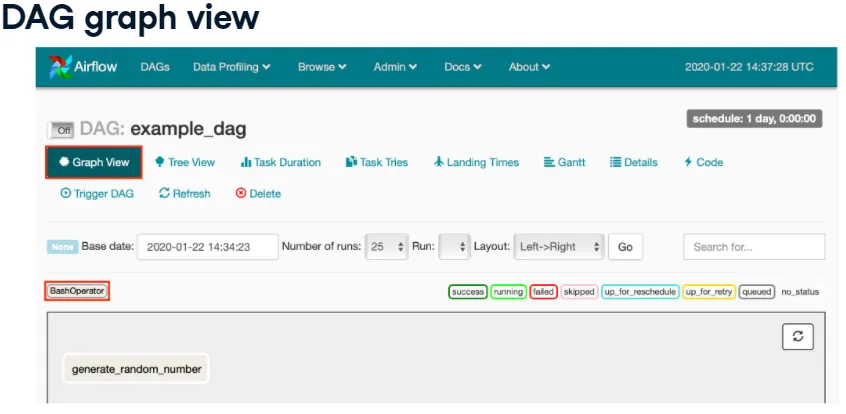
Click a DAG name to see detailed views:
- Tree view (default): tasks, operators, dependencies, and statuses over time.
- Graph view: the workflow as a flowchart.
- Code view: read-only DAG source.
- Other tabs: task duration, tries, timing, Gantt, etc.
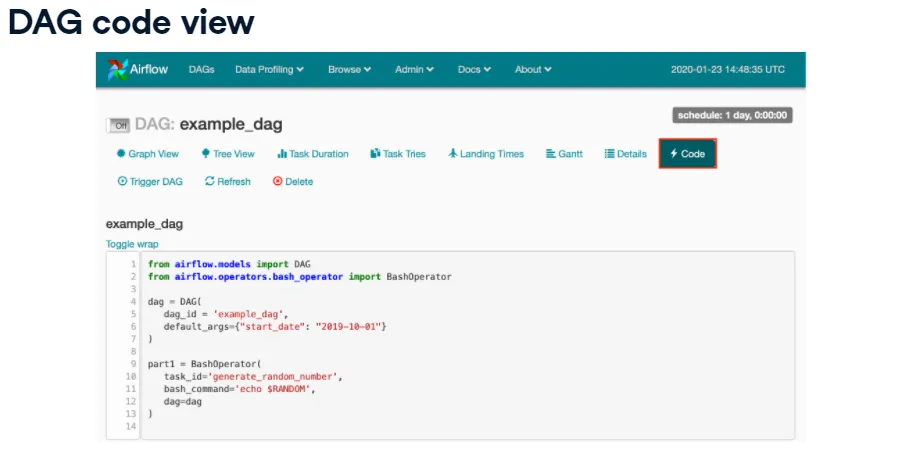
To troubleshoot or audit, browse → Logs shows recent activities (webserver start, DAG triggers, user actions, etc.).
Operators
Operators represent individual tasks (run a command, send an email, execute code, etc.). They generally execute in isolation—each operator should contain the resources it requires, which simplifies scheduling. Operators normally don’t share state, though you can pass data if needed.
Example placeholder operator:
DummyOperator(task_id="placeholder", dag=dag)BashOperator
Executes arbitrary Bash commands or scripts.
BashOperator(
    task_id="bash_example",
    bash_command='echo "Example!"',
    dag=ml_dag,
)

BashOperator(
    task_id="cleanup",
    bash_command='cat addresses.txt | awk "NF==10" > cleaned.txt',
    dag=dag,
)
Before using it:
from airflow.operators.bash_operator import BashOperatorEnvironment variables can be supplied if the command needs them. Runtimes occur in a temporary directory per task.
Watchouts:
- Operators may execute on different hosts/environments; don’t assume shared working directories.
- You may need to set env vars explicitly.
- Elevated privileges (root/admin) can be tricky—design carefully.
Tasks and Dependencies
- A task is an instantiated operator, usually assigned to a variable but referenced by
task_idwithin Airflow. - Dependencies define run order. Without them, Airflow schedules tasks arbitrarily.
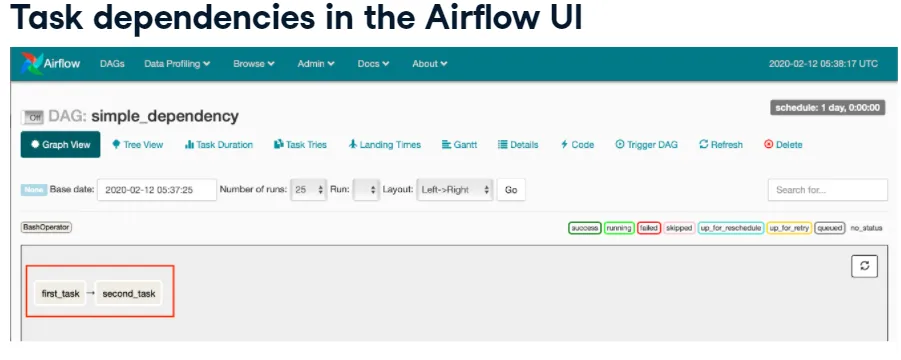
- Upstream tasks must finish before downstream tasks start.
- Use bitshift operators (
>>upstream,<<downstream) to set dependencies.
task1 = BashOperator(task_id="first_task", bash_command="echo 1", dag=dag)
task2 = BashOperator(task_id="second_task", bash_command="echo 2", dag=dag)
task1 >> task2  # same as task2 << task1
Multiple dependencies:
task1 >> task2 >> task3 >> task4
task1 >> task2
task3 >> task2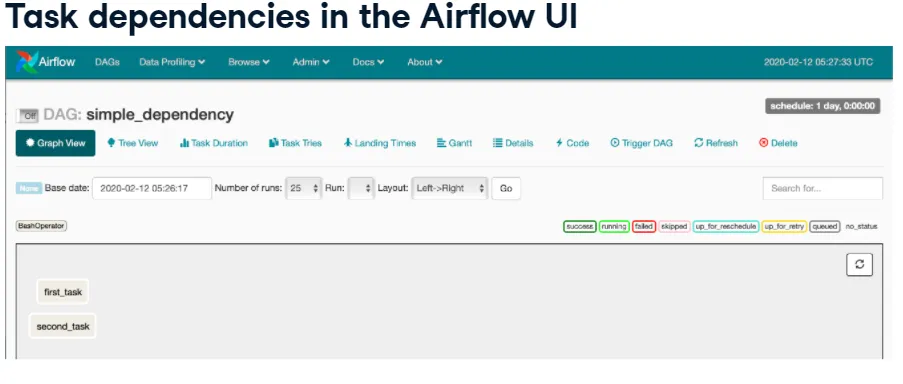
PythonOperator
Runs a Python callable.
from airflow.operators.python_operator import PythonOperator

def printme():
    print("This goes in the logs!")

python_task = PythonOperator(
    task_id="simple_print",
    python_callable=printme,
    dag=example_dag,
)
Pass arguments:
def sleep(length_of_time):
    time.sleep(length_of_time)

sleep_task = PythonOperator(
    task_id="sleep",
    python_callable=sleep,
    op_kwargs={"length_of_time": 5},
    dag=example_dag,
)
op_kwargs keys must match the function signature; otherwise you’ll get a keyword argument error.
EmailOperator
Sends emails (HTML content, attachments, etc.). Airflow must be configured with SMTP details.
from airflow.operators.email_operator import EmailOperator

email_task = EmailOperator(
    task_id="email_sales_report",
    to="sales_manager@example.com",
    subject="Automated Sales Report",
    html_content="Attached is the latest sales report",
    files="latest_sales.xlsx",
    dag=example_dag,
)
DAG Runs
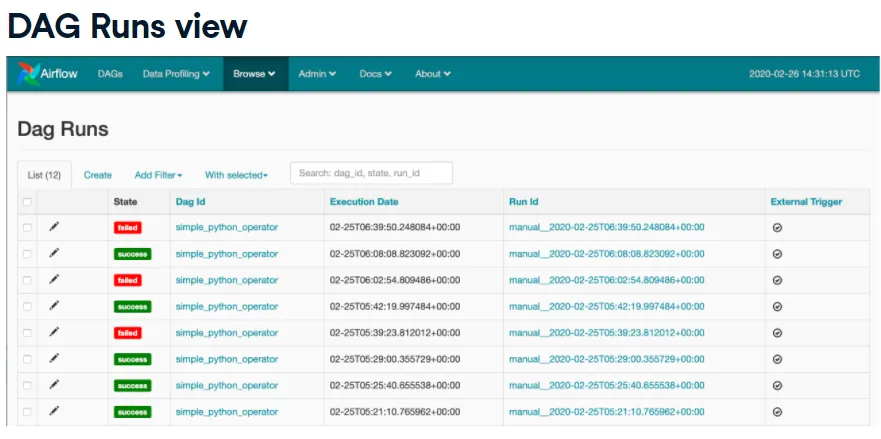
A DAG run is one execution instance at a specific time (manual or scheduled). Each run tracks its own state—running, failed, or success.
Browse → DAG Runs shows all runs and details.
Scheduling
Key parameters:
start_date: earliest date the DAG can run (usually adatetime).end_date: optional cutoff.max_tries: number of retries before marking a DAG run as failed.schedule_interval: how often to schedule runs.
schedule_interval can be a cron expression or preset. Common presets:
| Preset | Cron equivalent | Meaning |
|---|---|---|
@hourly | 0 * * * * | top of every hour |
@daily | 0 0 * * * | midnight each day |
@weekly | 0 0 * * 0 | midnight on Sundays |
@once | n/a | run only a single time |
None | n/a | no schedule (manual only) |
Cron format: minute hour day month day_of_week.
Examples:
0 12 * * *       # Every day at noon
* * 25 * 2       # Every minute on February 25
0,15,30,45 * * * *  # Every 15 minutes
Scheduling quirk: Airflow waits until at least one interval passes after start_date before creating the first run. With start_date=datetime(2020, 2, 25) and @daily, the first run is timestamped 2020-02-26.
Sensors
Sensors wait for conditions (file arrival, database row, HTTP status, etc.). They derive from airflow.sensors.base_sensor_operator.
Common arguments:
mode:"poke"(default; holds a worker slot) or"reschedule"(release slot and check later).poke_interval: how often to check (seconds). Keep it ≥60 to avoid overwhelming the scheduler.timeout: fail the sensor after this duration.- Any standard operator args such as
task_id,dag.
Example FileSensor:
from airflow.contrib.sensors.file_sensor import FileSensor

file_sensor_task = FileSensor(
    task_id="file_sense",
    filepath="salesdata.csv",
    poke_interval=300,
    dag=sales_report_dag,
)

init_sales_cleanup >> file_sensor_task >> generate_report
Other sensors:
ExternalTaskSensor: wait for a task in another DAG.HttpSensor: check a URL response.SqlSensor: run a SQL query and evaluate the result.
Use sensors when you don’t know exactly when a condition becomes true, but you don’t want to fail the DAG immediately.
Executors
Executors run tasks. Options include:
- SequentialExecutor: default; runs one task at a time (great for learning/testing, not for production).
- LocalExecutor: runs multiple parallel tasks as local processes on a single machine. Configure the desired parallelism.
- CeleryExecutor: distributed, queue-based executor for scaling across multiple machines (more setup, more power).
Check your executor in airflow.cfg (executor=) or via logs when running airflow list_dags.
Common Issues
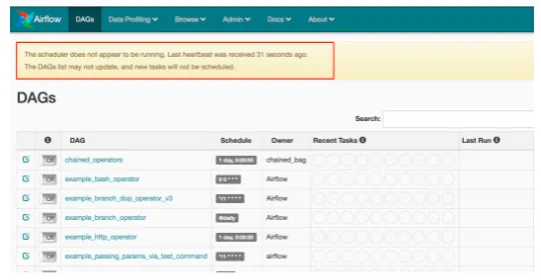
- DAG not running on schedule: Usually the scheduler isn’t running (
airflow scheduler). Other causes: not enough time passed sincestart_date, or the executor has no free slots (switch to Local/Celery or adjust schedules).
- DAG not loading: The Python file isn’t in the configured DAG folder. Check
airflow.cfgfordags_folder(must be an absolute path). - Syntax errors: Run
airflow list_dagsorpython3 <dagfile.py>to surface errors.
SLAs
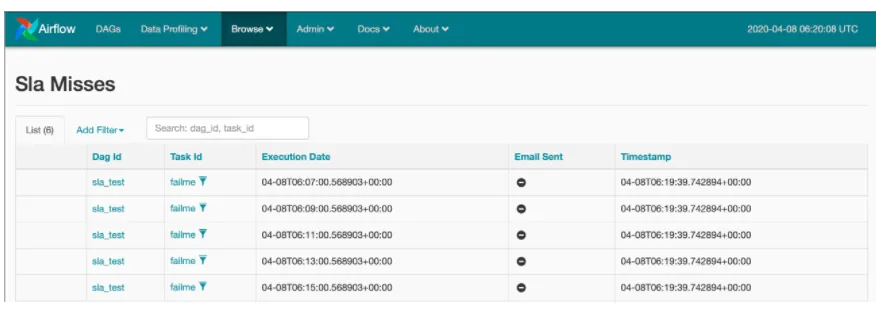
Airflow treats Service Level Agreements as the expected runtime for a task or DAG. An SLA miss happens when execution exceeds the threshold. Depending on configuration, Airflow logs the miss and sends email alerts.
Browse → SLA Misses shows which tasks missed their SLAs.
Define SLAs either per task:
task1 = BashOperator(
    task_id="sla_task",
    bash_command="runcode.sh",
    sla=timedelta(seconds=30),
    dag=dag,
)
Or in default_args:
default_args = {
    "sla": timedelta(minutes=20),
    "start_date": datetime(2020, 2, 20),
}
dag = DAG("sla_dag", default_args=default_args)
Remember to import:
from datetime import timedeltaEmail Alerts
default_args supports built-in email notifications:
default_args = {
    "email": ["airflowalerts@datacamp.com"],
    "email_on_failure": True,
    "email_on_retry": False,
    "email_on_success": True,
}
For custom messages or attachments, fall back to EmailOperator.
Templates
Templates let you inject runtime values into tasks. Airflow uses the Jinja templating language. At run time placeholders are rendered with actual values, enabling compact, flexible DAGs.
Without templates:
t1 = BashOperator(
    task_id="first_task",
    bash_command='echo "Reading file1.txt"',
    dag=dag,
)
t2 = BashOperator(
    task_id="second_task",
    bash_command='echo "Reading file2.txt"',
    dag=dag,
)
Templated version:
BashOperator(
    task_id="read_file1",
    bash_command='echo "Reading {{ params.filename }}"',
    params={"filename": "file1.txt"},
    dag=dag,
)
You can loop to create many tasks programmatically instead of duplicating code.
Templates can access Airflow-provided variables and macros, such as:
{% raw %}
{{ ds }}          # execution date
{{ macros.ds_add(ds, 7) }}  # date arithmetic
{% endraw %}
See the docs for the full list of template variables and macros.