TL;DR
I consider an MCP Gateway one of the essential tools for building an Agentic AI platform. If you’re accumulating more MCP servers than you can manage—or you keep spinning up redundant MCP servers—consider adopting the open-source project mcp-context-forge.
Recently, while working on a project to set up agent infrastructure, I got hands-on experience with several open-source projects, and I wanted to share what I learned.
Building agent infrastructure isn’t just about creating a system that calls an LLM. It means turning it into a software platform that can be operated sustainably. I’d like to introduce a few open-source projects that helped a lot with the architecture design, and this is the first post in that series. I decided to start with the tool I’m most attached to—one I’ve even contributed to and use heavily.
It’s the MCP Gateway open source project: mcp-context-forge. Let’s walk through it step by step.
As of writing, it’s V1.0.0-BETA-1.
Why Do You Need an MCP Gateway?
Before explaining mcp-context-forge, it’s worth addressing “Why do you need an MCP Gateway?” first. Before adopting an MCP Gateway, I think it’s good to ask yourself:
- Do I have enough MCP servers and tools to justify needing an MCP Gateway?
- Will agents need to call the same MCP?
In early-stage or small projects, you may not feel the need for an MCP Gateway. It can even feel like over-engineering since it adds management overhead and can become a single point of failure.
But once you hit the point where the number of agents and MCPs grows and the system starts scaling, the story changes. From that moment, the benefits can be so strong that the initial effort to introduce a gateway feels trivial.
The biggest advantage is the MCP Catalog. When everyone is churning out MCP servers because “MCP is great,” understanding what MCP servers and tools exist inside your organization becomes an important problem.
I’ve also run into situations where multiple MCP tools were created that do the exact same thing. In that kind of environment, being able to view a list of what MCP servers and tools exist is a major win.
What Is mcp-context-forge?
Now let’s look at mcp-context-forge more directly.
mcp-context-forge is an MCP Gateway open-sourced by IBM. It efficiently brokers increasingly complex connections between agents and tools.
To be honest, there aren’t many MCP Gateway tools out there. When I was doing research, mcp-context-forge and the kgateway + Agentgateway combination looked appealing. But Agentgateway felt relatively complex to operate, and I felt it wasn’t mature enough for production use at the time. We also already use a different gateway stack internally.
For those reasons, I chose mcp-context-forge. Of course, mcp-context-forge itself says it shouldn’t be used at the production level yet since it’s not a stable release. In my case, I am running it in production, and I haven’t felt any major issues.
Try Running It
My production environment is Kubernetes, but in this post I’ll use Docker.
Given how many GitHub stars it already has, you can test it without much trouble.
git clone https://github.com/IBM/mcp-context-forge
docker-compose up
The setup is mainly composed of the Gateway, a main DB (Postgres or MariaDB), Redis, and fast_time_server.
It’s not a complicated architecture, so it’s easy to operate.
There’s a separate time-related server called fast_time_server. I’m planning to look into that later (it doesn’t feel very impactful so far).
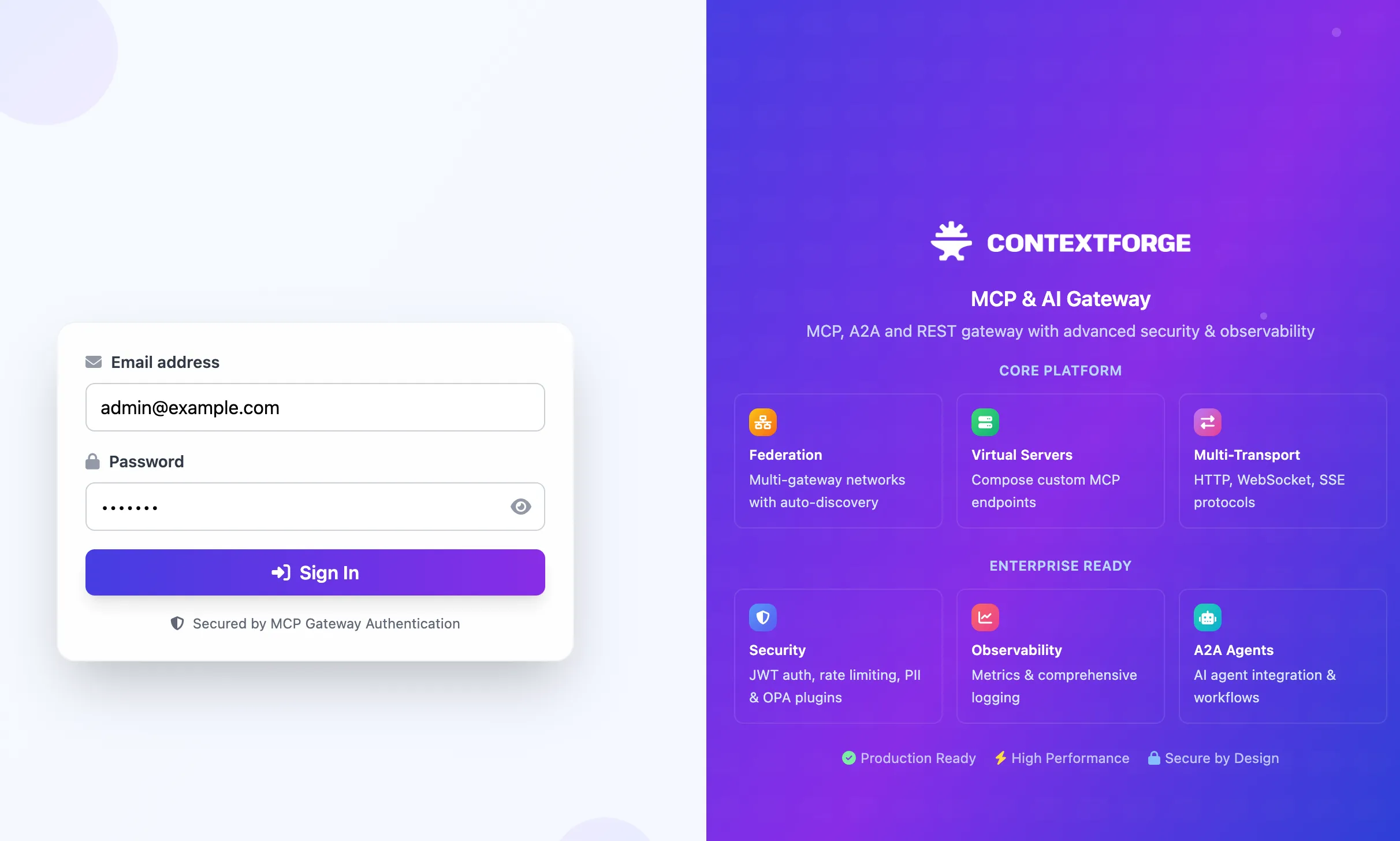
The start screen looks like this. You get a colorful UI, and it also provides a useful login experience—including optional SSO integration.
The default email address and password are admin@example.com, changeme.
After logging in, you’ll see a screen like the following. I’ve been watching this project since v0.8, and as of v1.0.0-BETA-1, you can really feel how much the design has evolved.
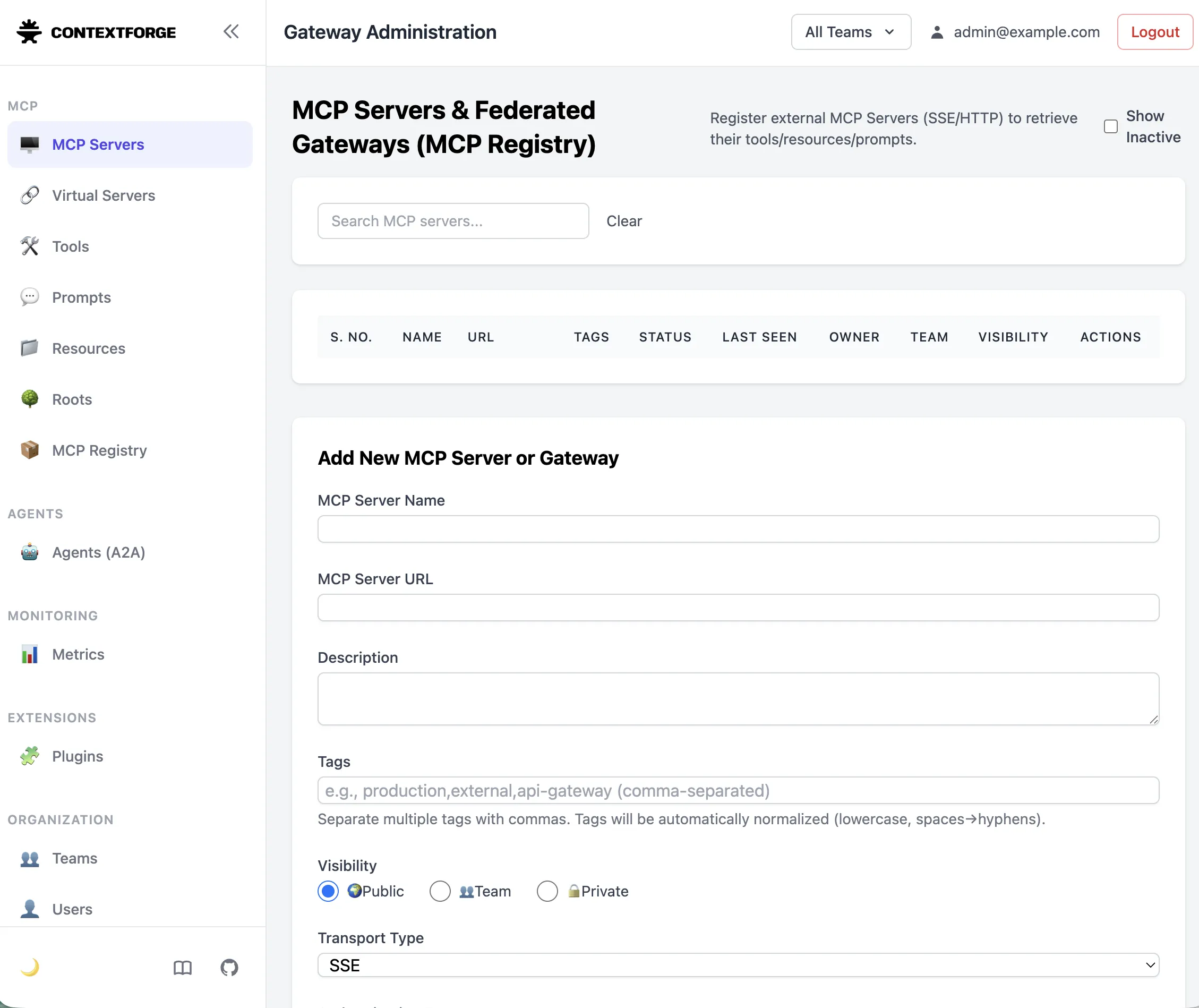
In the sidebar, there are various options:
- MCP Servers: In mcp-context-forge, these are labeled as “Gateways,” but you can think of them as MCP Servers. When you register one here, the tools, prompts, and resources on that MCP server are automatically registered.
- Virtual Servers: I consider this mcp-context-forge’s core feature. You can create a virtual gateway and select the tools, prompts, and resources you need—then use it just like an MCP server. This is a very useful feature for configuring per-agent toolsets and separating tool permissions.
- Tools, Prompts, Resources: Same meaning as in MCP.
- Roots: I’m not sure what this does… I haven’t used it. It looks like a feature for pulling content from storage on the server, but I don’t really know.
- MCP Registry: mcp-context-forge runs a registry you can register from easily. You can add a registry you like with one click.
- Agents: You can register not only MCP servers but also agents.
- Metrics: You can view mcp-context-forge metrics. You can see which tools are called frequently, when they were used most recently, and identify unused tools.
- Teams / Users: You can manage mcp-context-forge user permissions.
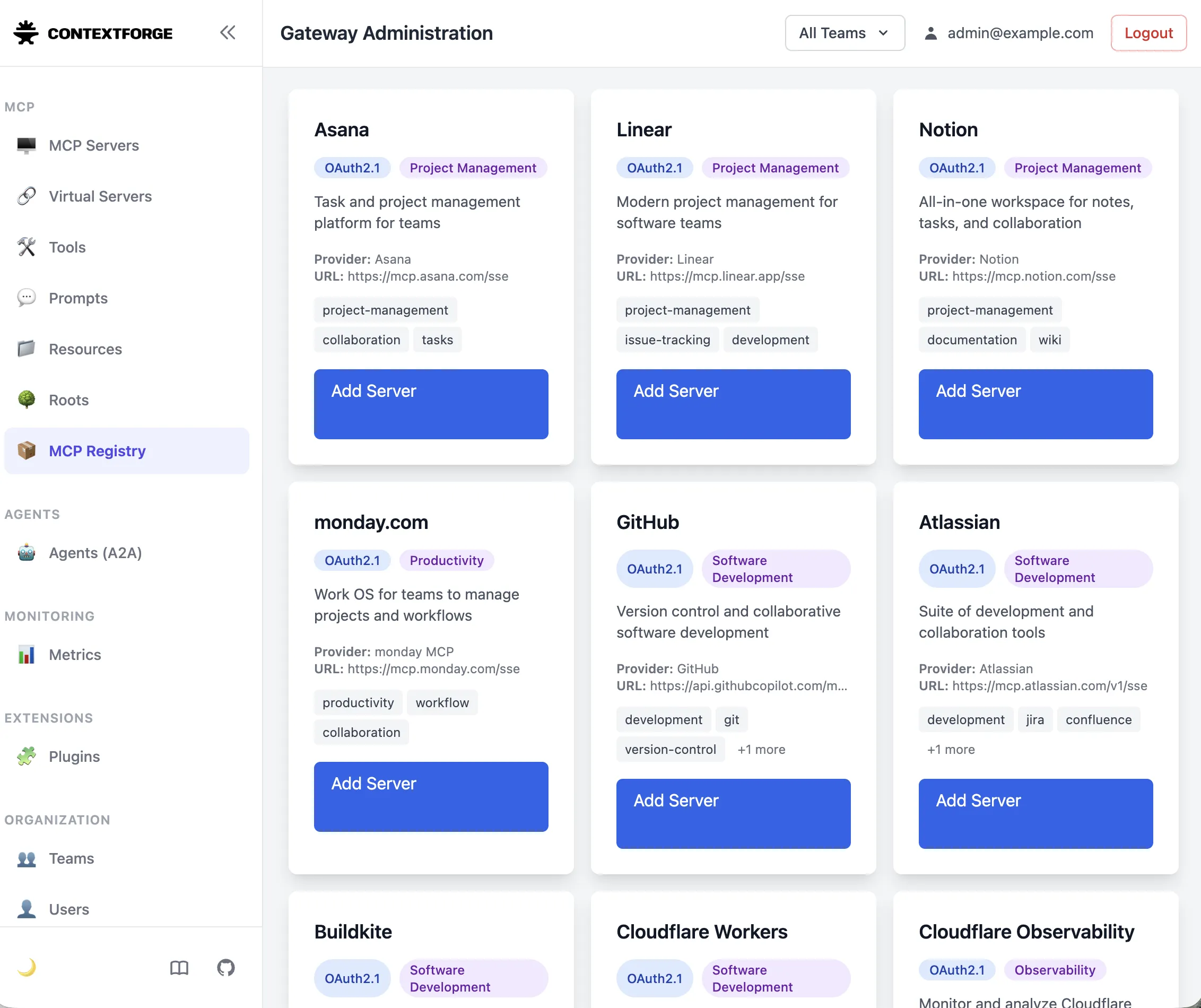
The screen above is the MCP Registry. If you click Add Server for a few entries for testing, you’ll see them registered like in the screenshot below.
Of course, for most tools, adding the server isn’t the end—you still need to use whatever authentication each server requires.
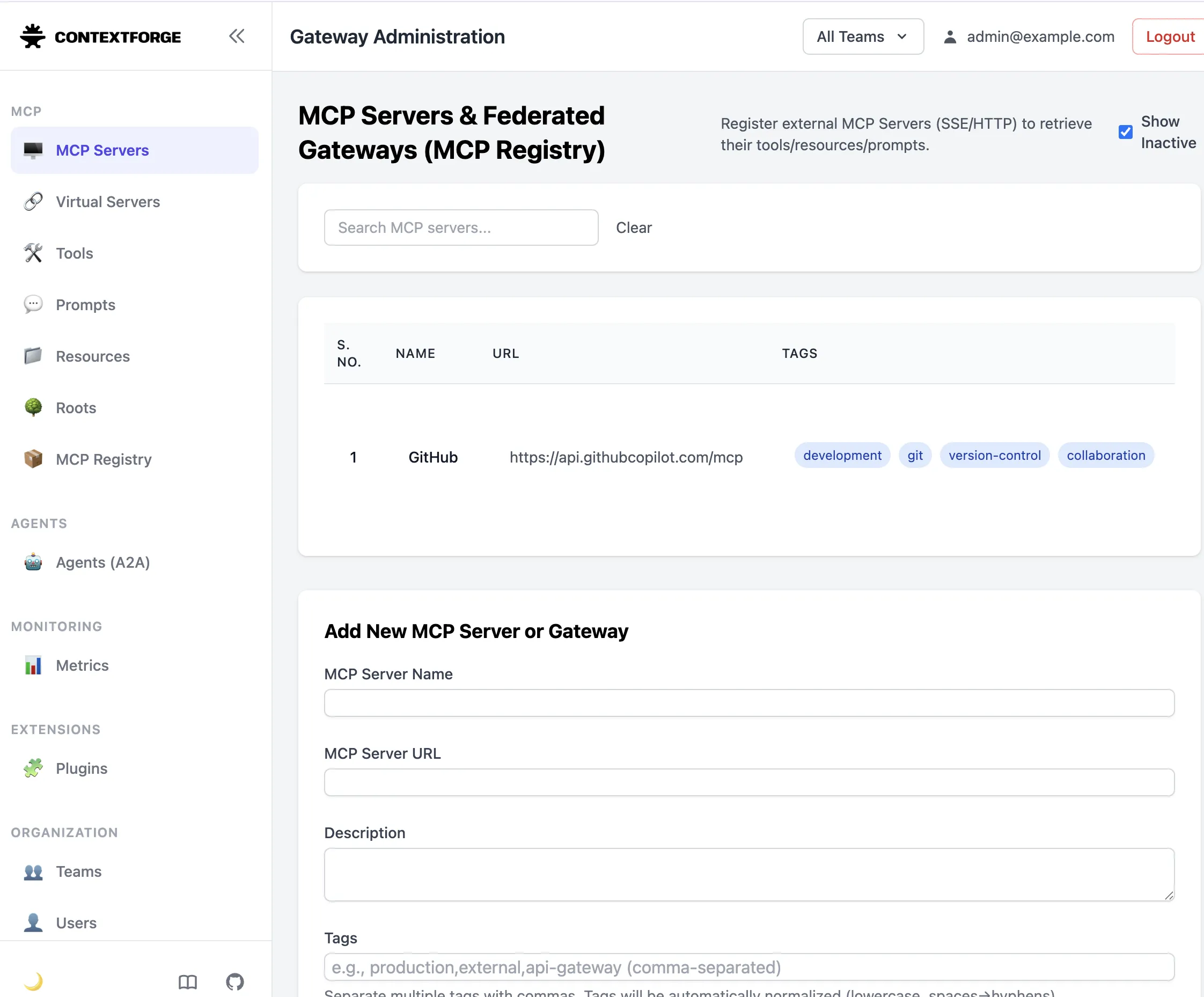
The screen above shows what gets created when you register GitHub, for example.
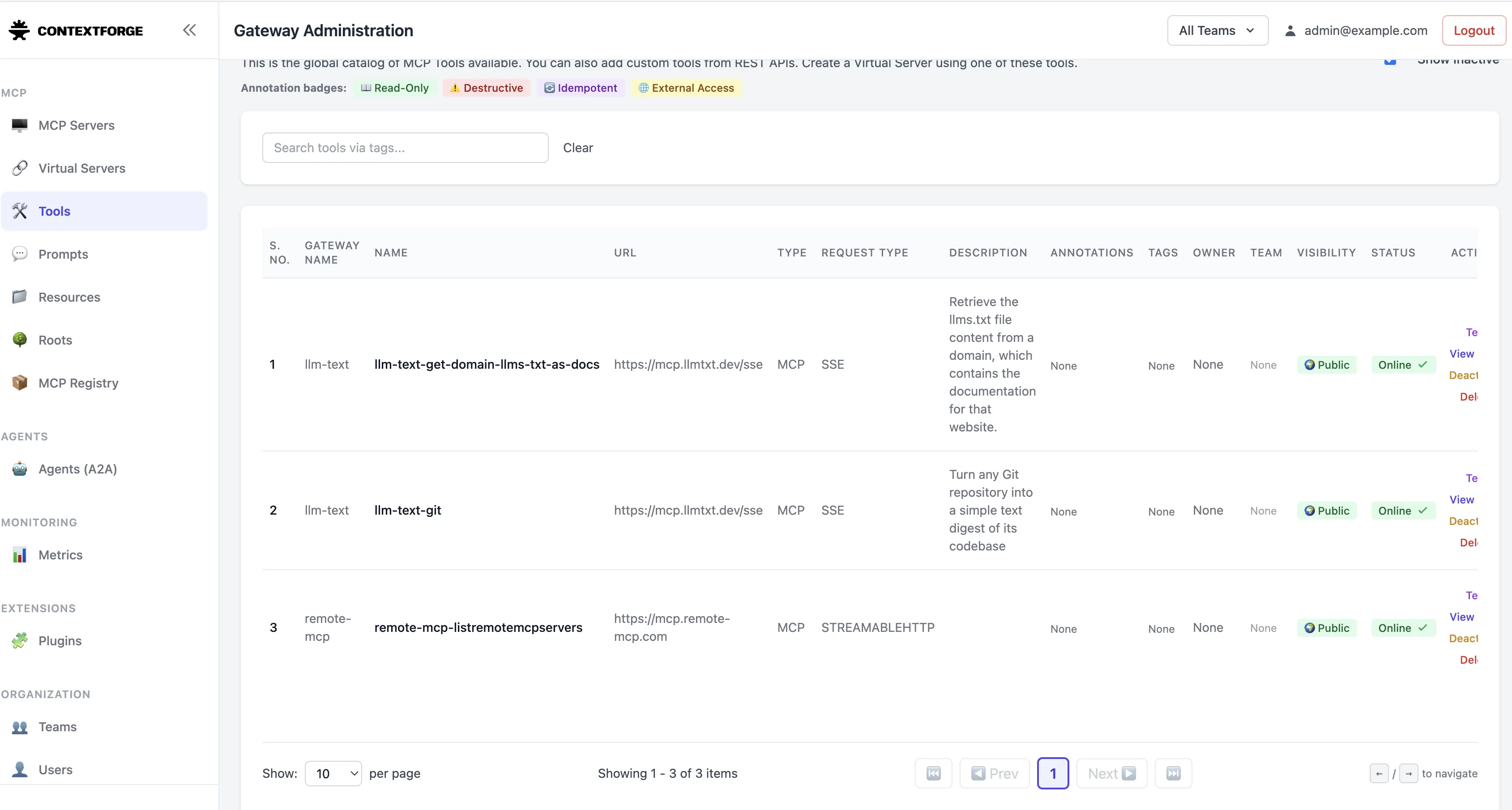
I also registered a few registries for testing besides GitHub. Once configuration is complete, you can browse the tools provided by each MCP server in Tools.
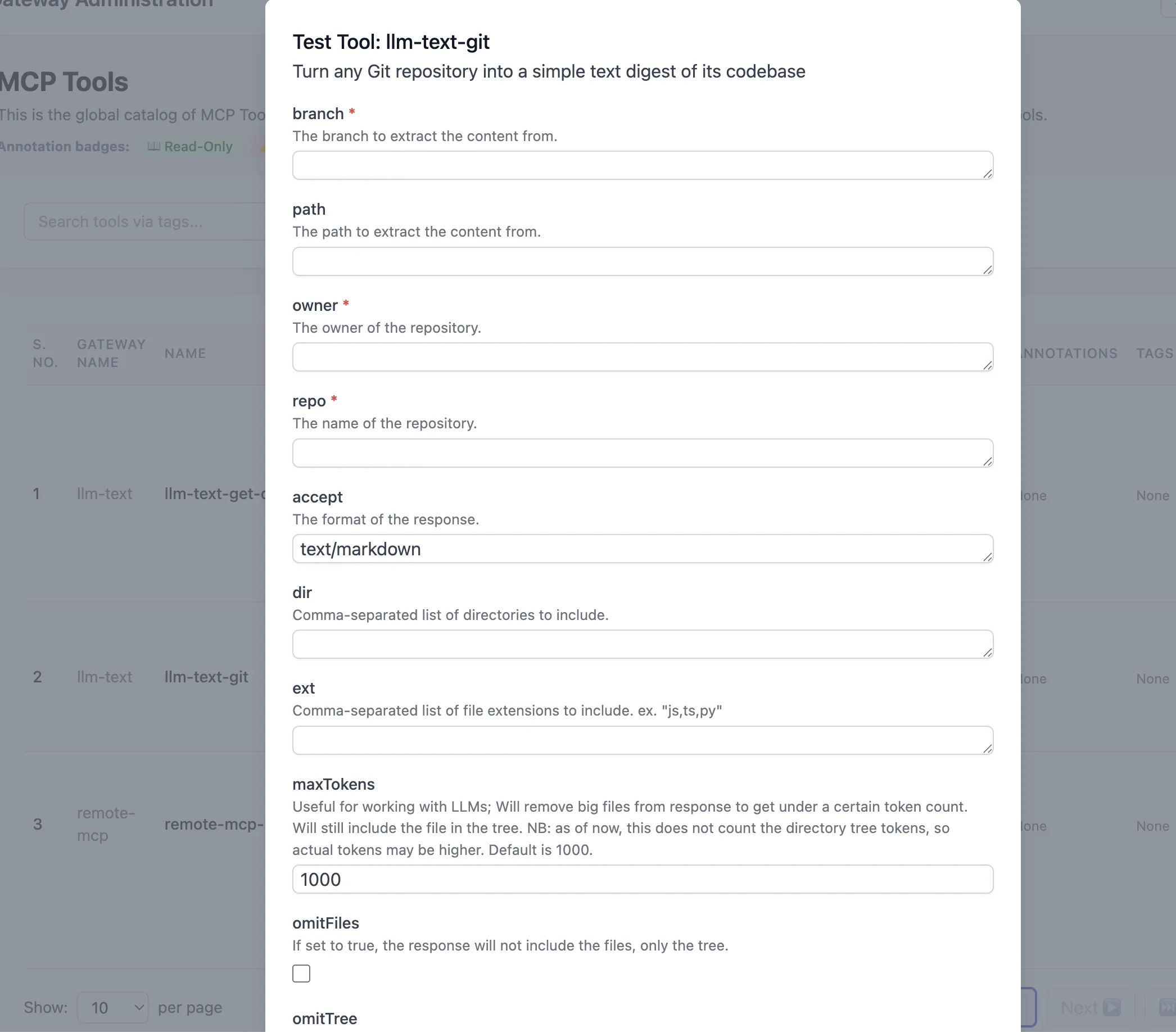
As shown above, you can test a registered tool.
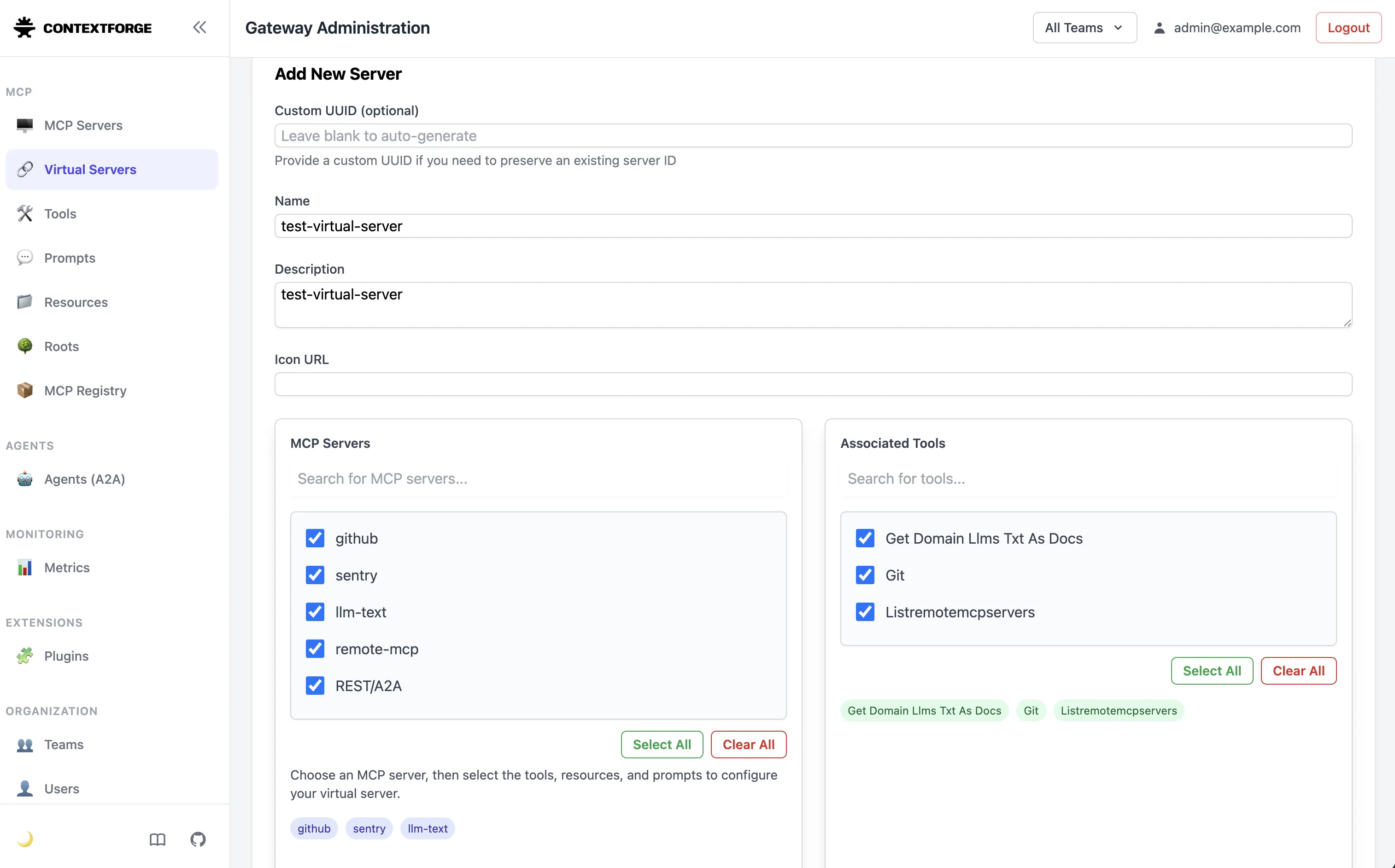
This is the Virtual Servers screen—the core feature I emphasized earlier. As you can see, you can select the MCP Servers and the Tools / Resources / Prompts you want.
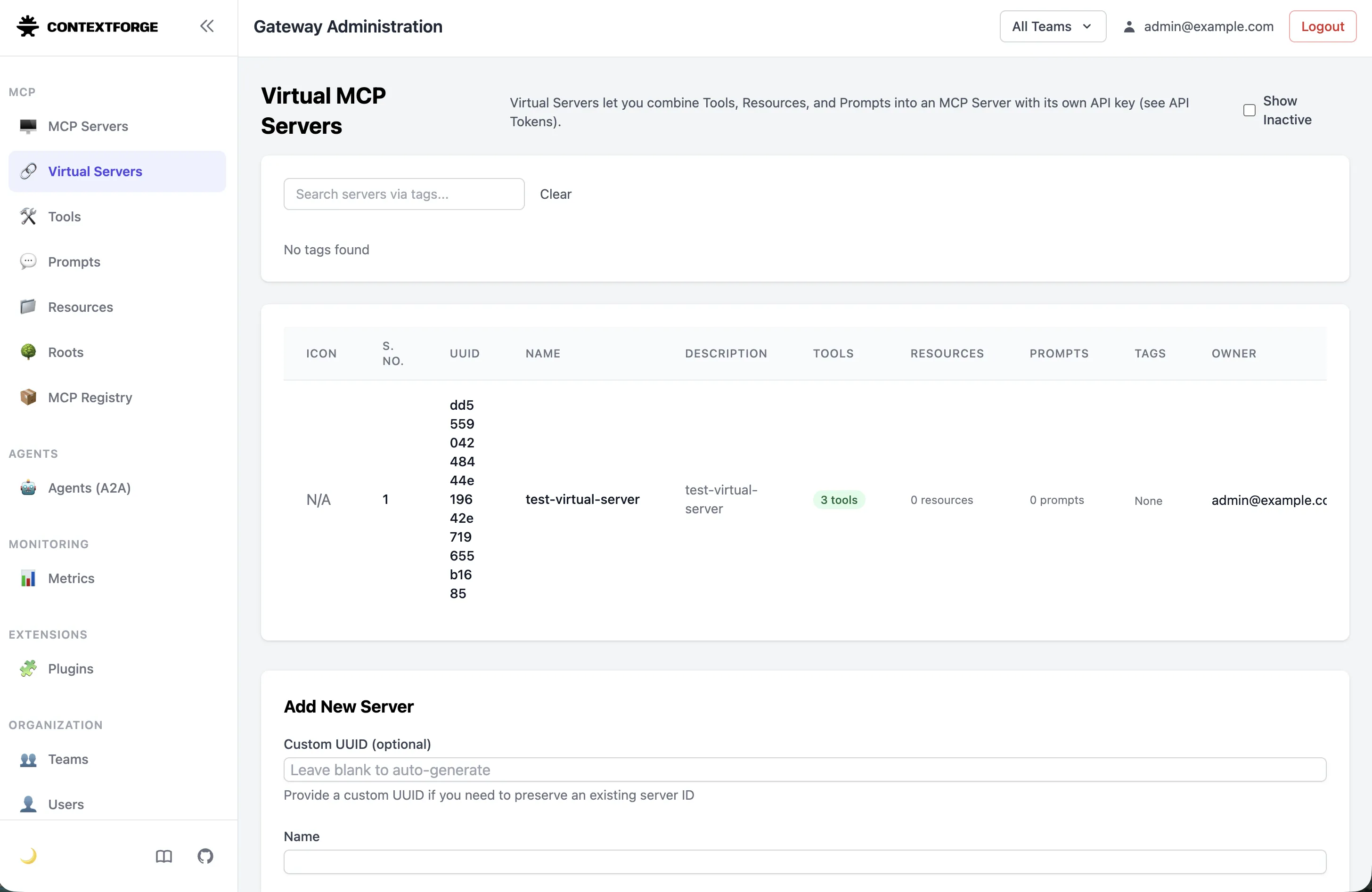
After selecting a Virtual Server, you can confirm it gets created like this.
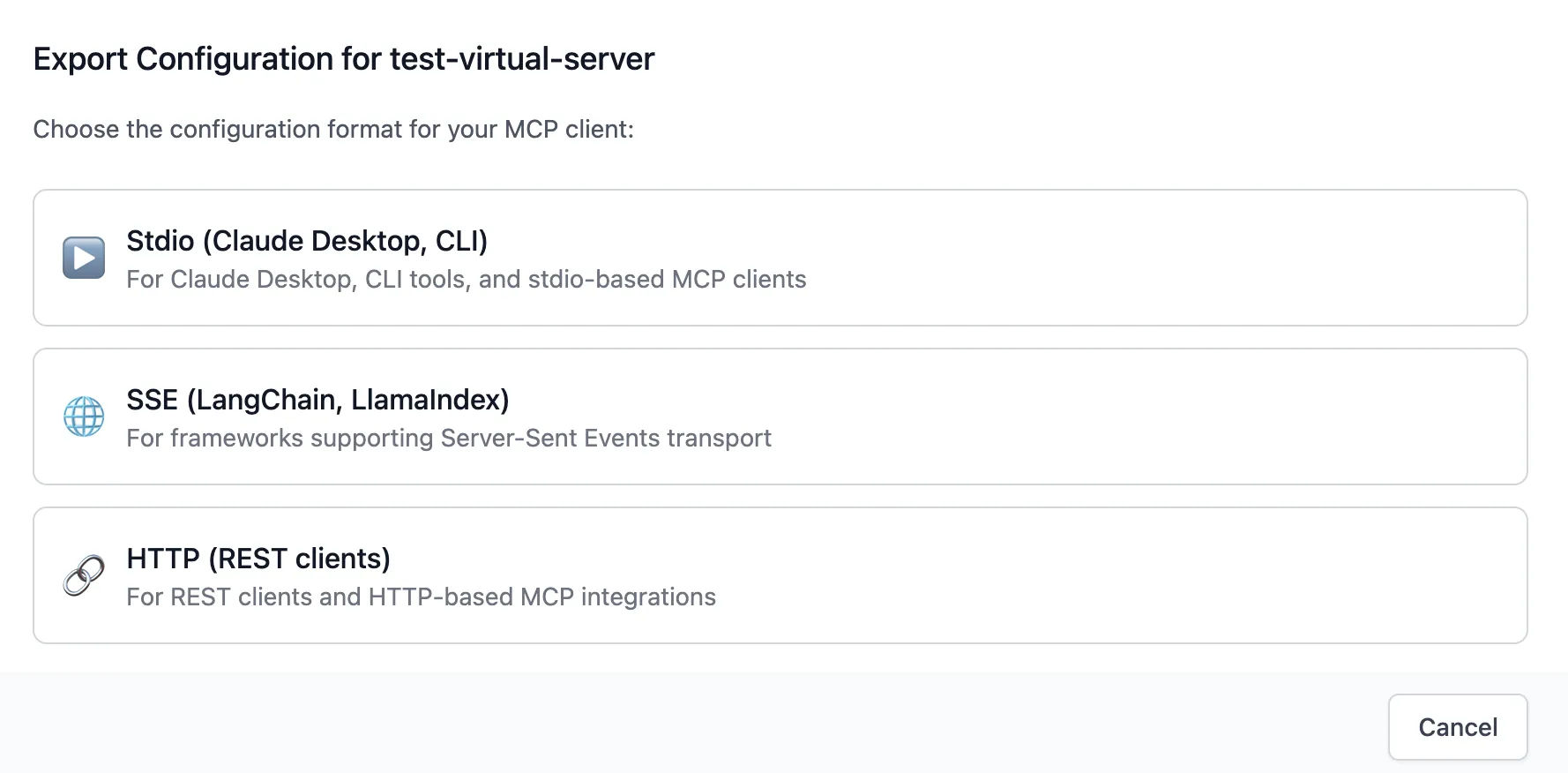
When you view Config, you can choose as shown above. It supports Stdio, SSE, and HTTP, so there’s no issue using it for MCP.
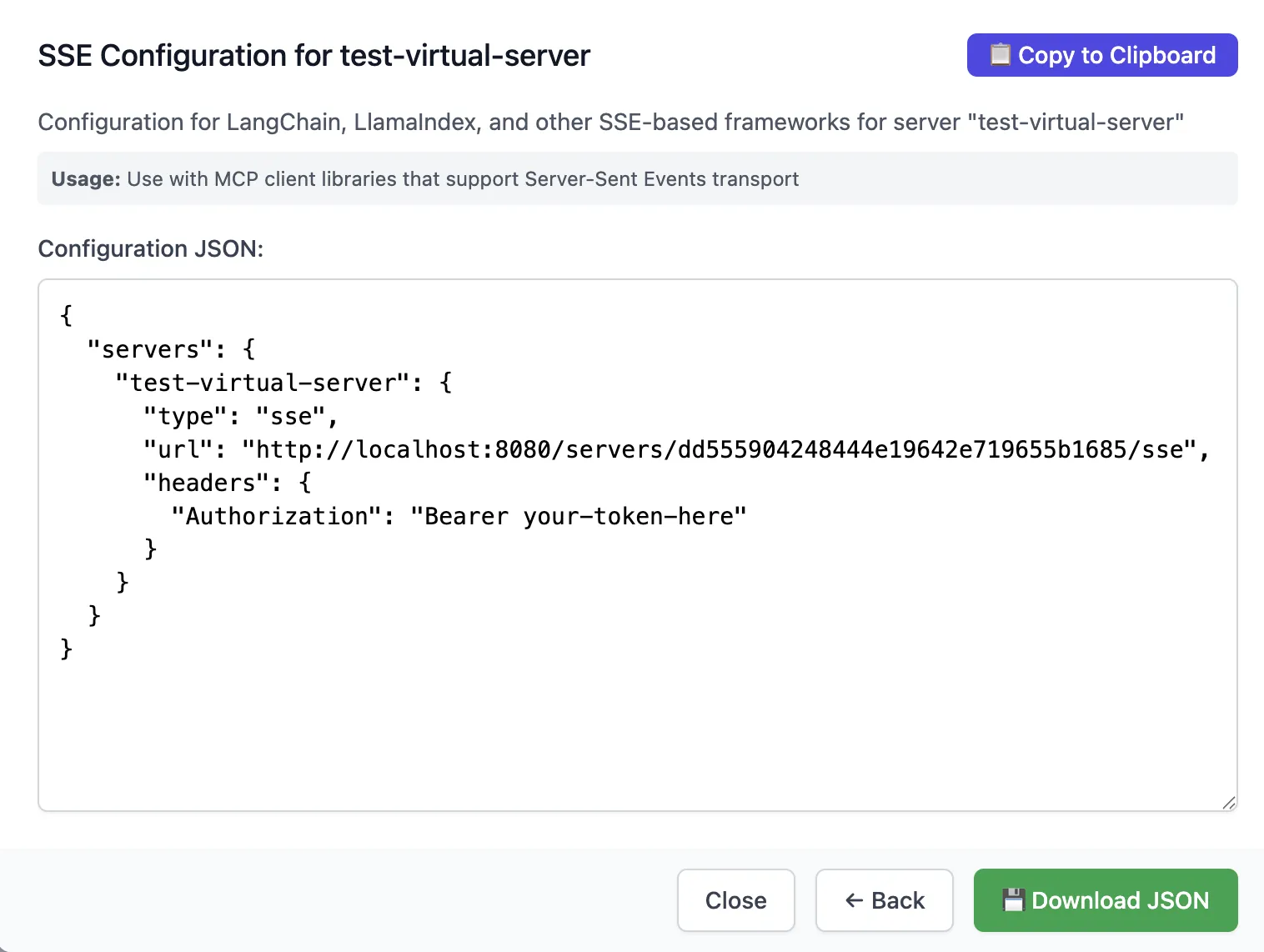
This is an example of the SSE method, showing the familiar MCP registration configuration. If you look at the headers, you’ll see it requires a Bearer token—mcp-context-forge uses tokens to control authorization.
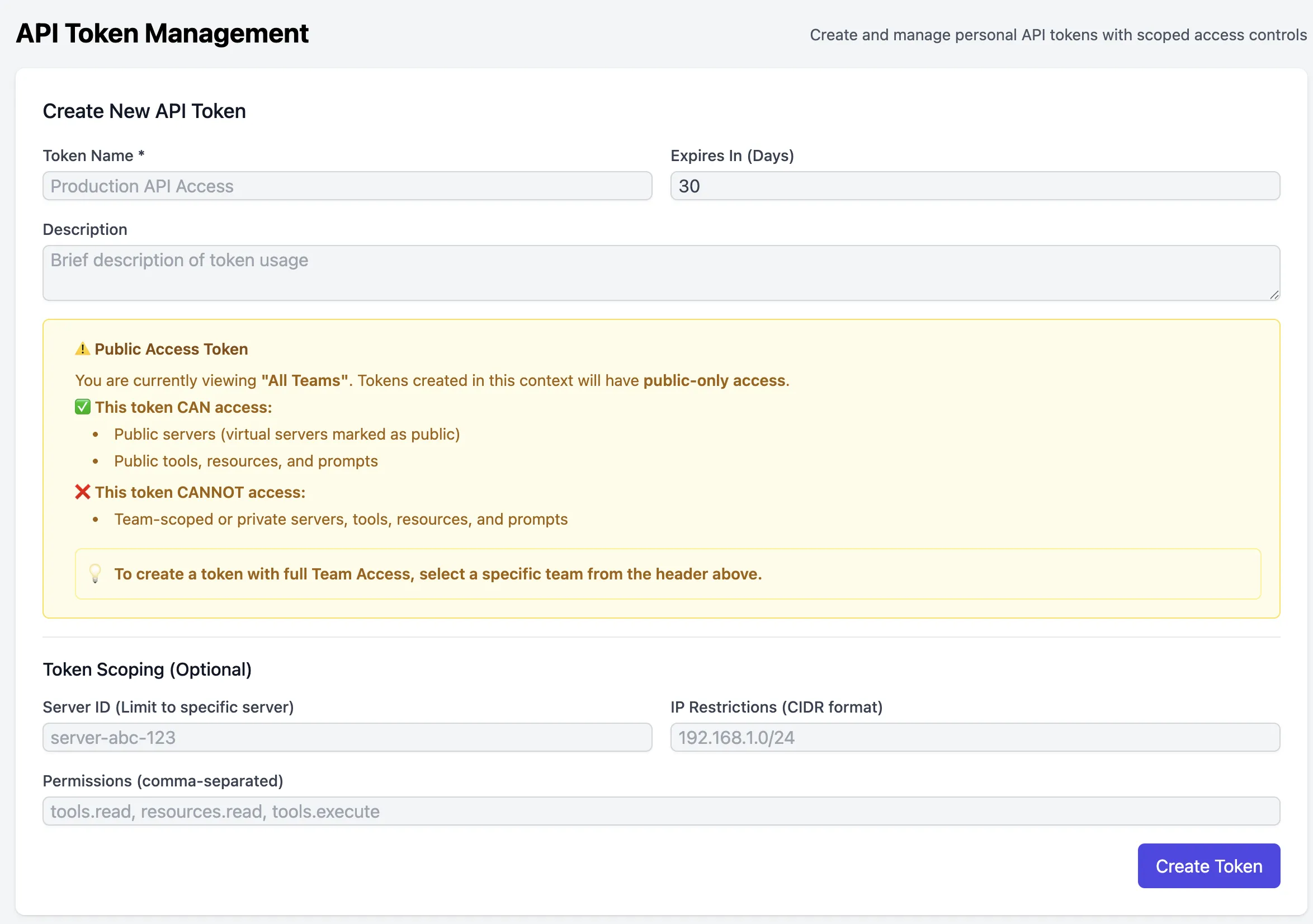
The token configuration screen looks like this. For each token, you can specify which Virtual Servers it can access. There’s also an IP restriction feature, but I haven’t used it. You can also configure permissions, but in my case I typically just define which tools each agent can access, so I haven’t used that either.
Now I’ll wrap up by summarizing the pros and cons of mcp-context-forge.
Pros
The biggest advantage is that it serves as an MCP Catalog. You can understand at a glance what MCP servers and tools exist in your organization, which helps prevent redundant MCP servers from being created. It also makes cross-team collaboration easier because you can quickly answer questions like, “Do we have a tool for this?”
Permission separation through Virtual Servers is also compelling. You can specify only the tools needed for each agent, which prevents unnecessary tool calls and provides peace of mind from a security standpoint. The metrics feature also makes it easy to see which tools are actually being used versus which are being neglected.
The simple architecture is another plus. You can operate it with just PostgreSQL or MariaDB and Redis, so the operational burden is low. Since it supports Stdio, SSE, and HTTP, there are no compatibility issues with existing MCP clients.
Cons
I didn’t really feel any major functional downsides. If I had to pick one, it’s that it’s still a beta version, so some features are not implemented yet.
Also, compared to connecting directly from an agent to an MCP, it seems there are a few authentication methods it doesn’t support. In my case, I remember trying to connect using FastMCP Client and failing, so I switched to the mcp library instead. This may have been resolved by now.
Finally, since it’s a gateway, you should consider that it can become a Single Point of Failure. That said, this is a common characteristic of all gateways.
Conclusion
An MCP Gateway becomes mandatory infrastructure once the number of MCP servers and tools starts growing. mcp-context-forge is still in beta, but based on my experience running it in a real production environment, it worked reliably without major issues.
Most importantly, it’s great that IBM has open-sourced it and is actively developing it. I’m using it while contributing, and issue turnaround is fairly fast.
If you’re considering adopting an MCP Gateway, I recommend taking a look at mcp-context-forge.